Why can I not access the Smart Advertising TikTok ad account?
Case 1: Ad account is closed for inactivity within 60 days
Because TikTok requires quota ad accounts, the platform will remove and close all the ad accounts that were not active for the last 60 days. We always send users a notification email 3 times to remind them before removing it, and in case we don't get a response, we will take action on it. In that case, please follow the instructions below:
- Regularly check emails from Smart Advertising to ensure you can reactivate your ad account as quickly as possible.
- If it's been over 60 days and you haven't clicked reactive, please contact our support team (AM/LC) directly to get more assistance.
- See Support Channels.
Case 2: Don't have permission to access the ad account
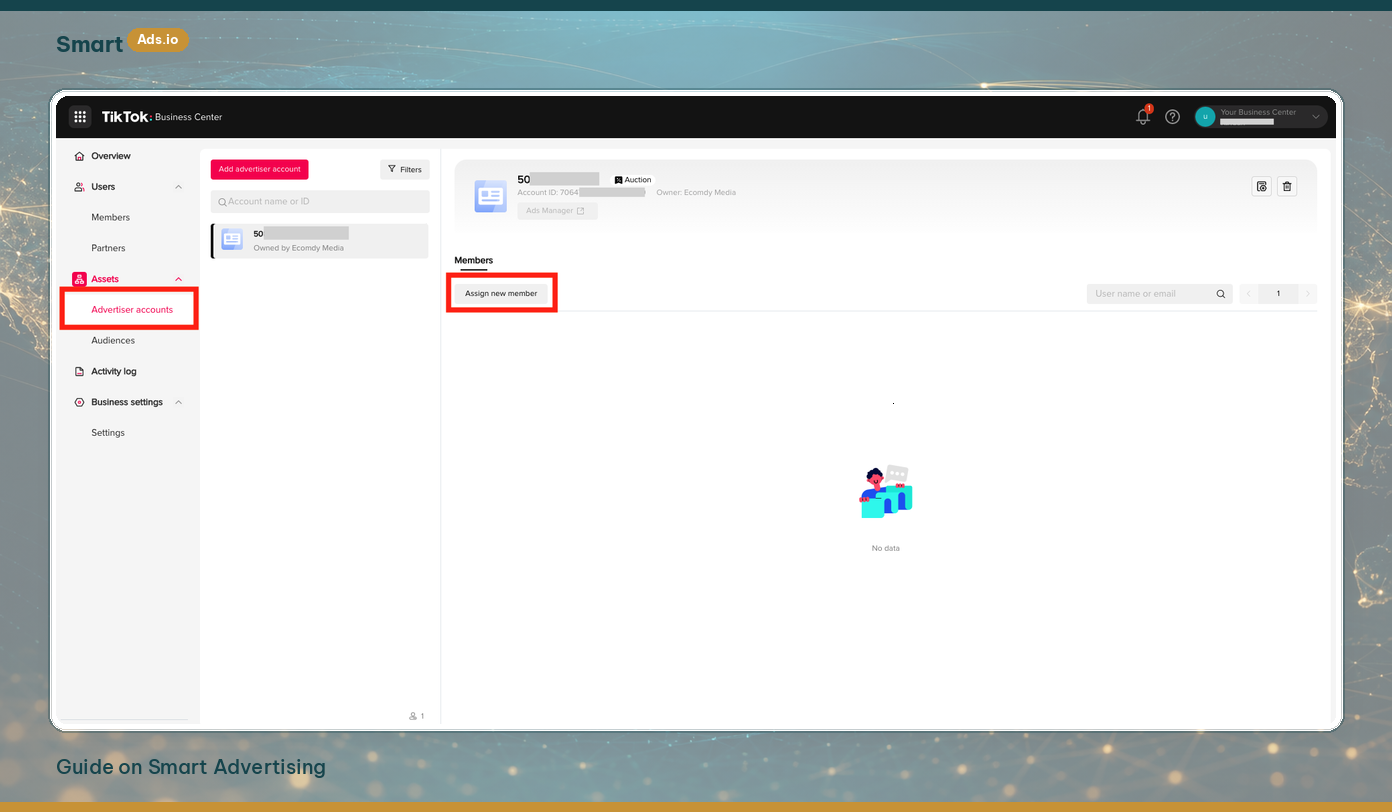
Access your ad account from your Business Center:
- Access your Business Center.
- In the tab Advertiser accounts or Member.
- Select the TikTok ad account shared by Smart Advertising.
- Click Assign new member.
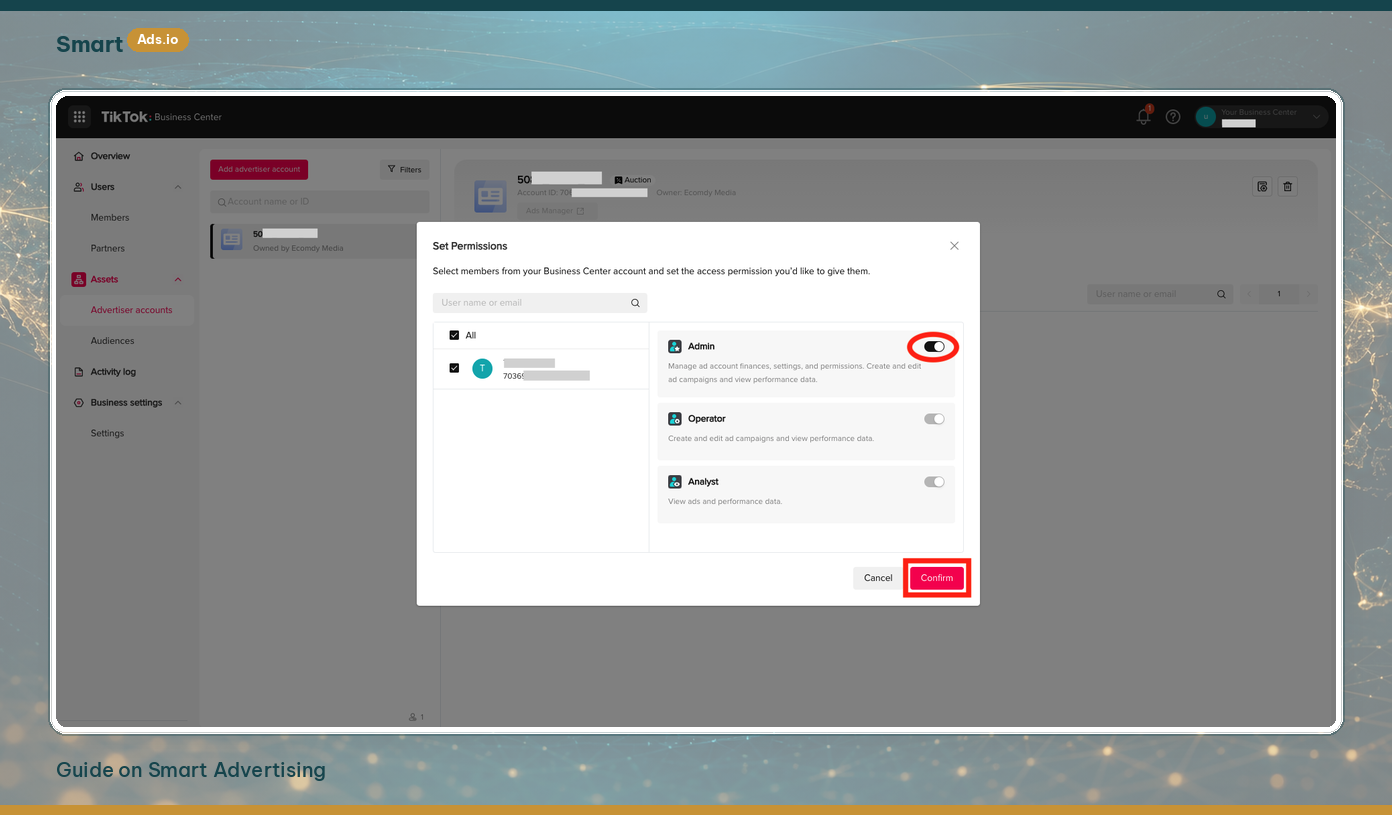
- Select a role for your own account Admin / Operator / Analyst (usually: Admin).
- Then, you can start your ad campaigns on TikTok.